PopularGames






















































NewGames



































Last updated:
Classroom 6x
Looking for games you can play at school or work without jumping through hoops? You’re in the right place. With Classroom 6x Unblocked Games 6x, you can open your browser, click a title, and, just like that, you’re playing. No downloads. No fuss. And on a Chromebook? Works like a charm.
Oh, and before you ask yes, the library packed with different genres: action, racing, puzzles, platformers, and more. Picking a favorite, easier said than done.
What is Classroom 6x?
Classroom 6x is a browser first collection of unblocked games. Built for quick breaks and smooth play, many titles run great even on modest devices. Designed for busy students and casual gamers, the experience is clean and straightforward, open a page, press play, and off you go.
By the way, if you like keeping things tidy, you will love that there is nothing to install. Your storage stays free, your device stays light, and your games load fast.
No Download Browser Play Chromebook Friendly Quick Loads
Why Classroom 6x Stands Out
Instant access
Click a game and play right away. From first bell to lunch break, it just works.
Simple and safe
Everything runs in your browser. Keep it simple, keep it smooth, and follow your school’s rules.
Made for Chromebooks
Games are lightweight and optimized for Chrome, perfect for classroom devices.
Plenty of variety
Action, racing, puzzles, rhythm, you name it. When moods change, options help.
Short, refreshing breaks
When your brain fried, a quick level or two can reset your focus, no strings attached.
No installs, no clutter
Because everything is online, your device stays clean and speedy. Nice and neat.
Top 10 Classroom 6x Unblocked Games 6x
- 1v1.LOL – Fast online shooter where you build and battle in real time. Test reflexes, strategy, and quick aim in short, thrilling matches.
- Eaglercraft – Play Minecraft-style sandbox in your browser. Build, explore, and survive with no downloads needed—perfect for school Chromebooks.
- BitLife – Life Simulator – Life simulator where choices shape your future. Pick jobs, make friends, take risks, and see how your life story turns out every time.
- Slope – Guide a ball down endless neon slopes. Simple controls, sharp turns, and increasing speed make this game addictive and fun to replay.
- Snow Rider 3D – Ride a sled down snowy hills, dodge obstacles, and collect gifts. Smooth gameplay and endless challenges keep you coming back.
- Tomb of the Mask – Dash through retro mazes filled with traps and enemies. Fast reflexes and sharp timing are the key to survival in this arcade hit.
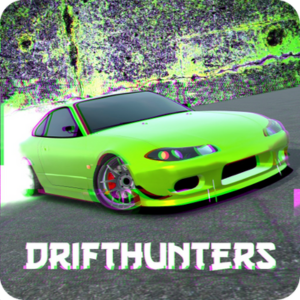
- Drift Hunters – 3D drifting game with realistic physics. Earn points, unlock new cars, and master long slides on challenging tracks.
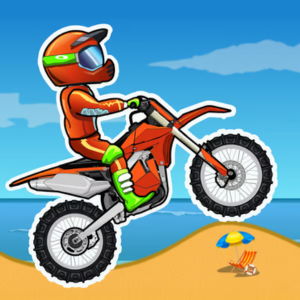
- Moto X3M – Bike racing stunt game with loops, bombs, and wild tracks. Flip, land, and race against time in fast, action-packed levels.
- Geometry Dash Lite – Rhythm-based platformer with catchy music and tricky jumps. Tap to the beat and test your reflexes in tough, addictive levels.
- Monkey Mart – Fun tycoon game where monkeys run a grocery store. Grow crops, stock shelves, and expand your shop while keeping customers happy.
Playing on Chromebooks (Yes, it is easy)
Since Chromebooks don’t install traditional games, browser-based titles shine. With Classroom 6x, performance stays steady, controls feel responsive, and setup takes seconds. While waiting for class to start, a quick run or two can refresh your brain.
- Open Chrome and head to classroom6xonline.github.io.
- Pick a game page and press Play.
- Use fullscreen (usually F or an on-screen button) for fewer distractions.
- Playing with trackpad? Tweak in-game sensitivity if needed.
How to Start Playing (Step-by-Step)
- Visit the homepage: https://classroom6xonline.github.io/.
- Browse by genre, action, puzzle, racing, platform, or use your recent favorites.
- Open a title (say, Snow Rider 3D) and press play.
- If keys or mouse feel off, check the in-game settings, tiny tweaks go a long way.
- Stuck? Back out, try another, and keep the fun rolling.
Helpful Tips if Your Network is Strict
Some school filters can be finicky. When that happens, don’t panic, try these:
- Reload the page to refresh cached resources.
- Use a different game page (for example, switch from action to puzzle).
- Close extra tabs to free memory on low-end devices.
- Check Chrome Site Settings and allow sound or clipboard if needed by the game.
- Follow school rules, when in doubt, ask a teacher first.
Quick FAQs
- Classroom 6x Unblocked Games 6x is a free online platform where students and gamers can play browser-based games instantly, without downloads.
- Absolutely. All games on Classroom 6x are free to play online, making it easy for students to enjoy them during school breaks.
- Can I play Classroom 6x games on a Chromebook?
- Yes, Classroom 6x works perfectly on Chromebooks. Since all games run in the browser, you don’t need to install anything.
- No. Games run directly in your browser, so you don’t have to download or install extra apps or software.
- Classroom 6x offers lightweight, browser-friendly games. They’re safe to play, but always follow your school’s internet rules.